

Nothing is more frustrating than trying to browse the web and being interrupted by a Slow internet.
Advertisements
After all, in times of constant communication, remote work and high-quality video streaming, waiting for pages that don't load or videos that freeze is an experience that no one wants.
In this article, we will present 5 efficient solutions to solve this problem once and for all.
This way, you can ensure fast and uninterrupted browsing. If you are tired of slowness, read the following tips carefully.
Continue reading and find out more:
1. Check the quality of your connection with your Internet provider
First of all, it is important to understand the origin of your Slow internet is in the service of the provider.
In many cases, the problem is not with the equipment or your computer, but rather with the quality of the connection offered by the operator.
The first step to diagnosing this is to perform a speed test. Internet.
There are several online tools that allow you to measure your upload and download speed, as well as the ping (latency) of your connection.
If the test indicates a speed significantly lower than the contracted speed, it is time to contact your provider.
What to do if your connection is slow due to your provider?
- Contact Technical Support – Report the problem and ask them to check your line. They may need to make adjustments to your bill or perform maintenance on the network.
- Consider changing your plan or carrier – If the provider does not offer a satisfactory solution, it may be time to analyze other plan options or even change to a new operator that provides greater stability and speed.
- Check local infrastructure – The problem may be in your specific area. In regions with poor network infrastructure, the quality of Internet may be inconsistent, affecting speed.
| Action to correct the Slow internet | Description |
|---|---|
| Speed test | Perform a speed test to check your provider's actual connection and compare it with the contracted plan. |
| Contact the provider | If the speed is below average, please contact technical support for assistance. |
| Change of plan or operator | Consider upgrading to a higher plan or changing carriers if the service isn't meeting your needs. |
++ The Power of Nanotechnology: How It’s Transforming Medicine and Energy
2. Restart your modem and router: Simple but effective
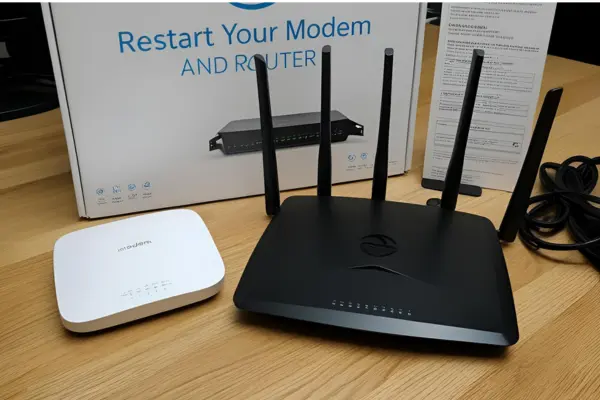
In many cases, the simple action of restarting your modem and router can be the key to solving problems. Slow internet.
This happens because, over time, these devices accumulate temporary data and settings that can compromise performance.
How to correctly restart the equipment?
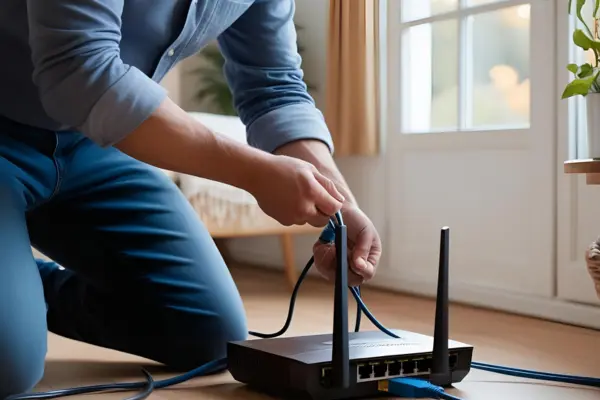
- Turn off your modem and router – Unplug the power cords from the outlet and wait 30 seconds to 1 minute before plugging them back in.
- Restart the connected device – After restarting the equipment, it is important to restart the device you are using (computer, smartphone or tablet) to ensure a clean connection.
- Wait for the network to stabilize – When turning your modem and router back on, wait at least 3 to 5 minutes for the network to stabilize. This is important to avoid disconnections during the reconnection process.
Why does rebooting help?
Restarting these devices can fix temporary configuration errors, improve router resource allocation, and restore network connectivity.
This is a quick, no-cost solution that can substantially improve your Slow internet.
3. Correct positioning of the router
If your Slow internet occurs only in certain areas of your home or office, the problem may be improper placement of the router.
The way it is placed can directly affect the Wi-Fi signal, resulting in performance and connection drops.
Where to position the router to get the best signal?
- Centralized location – Position the router in a central location in your home or office to ensure that the signal is distributed evenly.
- Avoid obstacles – Place the router in an open space, away from thick walls, metal objects or other devices that could interfere with the signal.
- Height is essential – Ideally, the router should be positioned on an elevated surface, such as a shelf, to optimize signal propagation.
How to improve Wi-Fi signal?
- Use signal repeaters – If your space is very large, consider using a Wi-Fi repeater or extender to improve coverage.
- Configure the router channel – In densely populated areas, such as apartments, your router may experience interference from other devices. Go to your router settings and change the channel to avoid overloading.
- Consider changing your router – If your router is old, it may not be able to handle the demands of a modern connection. Investing in a more powerful model can make all the difference.
| Tip to improve Wi-Fi | Description |
|---|---|
| Ideal positioning | Place the router in a central location, free from obstacles, and at a high height to improve signal range and strength. |
| Signal repeaters | Use repeaters to extend your Wi-Fi range to more distant areas of your home or office. |
| Equipment update | Consider replacing your router with a more modern model that supports fast, stable connections, such as Wi-Fi 6. |
++ ESG in Technology: How Tech Companies Are Promoting Inclusion
4. Optimize network usage: Control connected devices
Another common reason for a Slow internet It could be the excessive amount of devices connected to your Wi-Fi network.
The more devices use the internet bandwidth, the more the connection tends to be compromised.
How to better manage connected devices?
- Unplug unnecessary devices – Check for connected devices that are not being used and disconnect them to free up bandwidth for the equipment you really need.
- Assign usage priorities – Many modern routers allow you to set traffic priorities, also known as QoS (Quality of Service). This ensures that essential devices, such as your computer or mobile phone, receive a greater share of the bandwidth.
- Avoid overloading yourself with heavy tasks – Avoid activities such as downloading large files, streaming 4K videos, or playing online games simultaneously as these actions consume a lot of bandwidth.
How to monitor connected devices?
You can access your router's settings to check all devices connected to the network and manage their permissions.
Some router models even allow you to block access to certain devices or limit the bandwidth they use.
| Action to manage devices | Description |
|---|---|
| Disconnect unnecessary devices | Unplug unused devices to free up more bandwidth for essential devices. |
| Prioritize network traffic | Use QoS settings to allocate more bandwidth to priority devices or applications, ensuring higher performance. |
| Monitor connected devices | Access your router settings to monitor and control which devices are using your network and how much bandwidth. |
5. Switch to a wired (Ethernet) connection
While Wi-Fi is convenient, it doesn't offer the same stability and speed as a wired connection.
If you are facing a Slow internet and you can't solve the problem with the previous tips, an effective solution may be to use an Ethernet cable.
Why is wired connection better?
- Greater stability – Connecting via Ethernet cable offers more stable and reliable data transmission, eliminating interference common in Wi-Fi networks.
- Top speed – Connecting directly to your modem or router with an Ethernet cable can provide significantly higher speeds compared to Wi-Fi, especially over longer distances.
- Less latency – Online gaming and video calls can suffer from increased latency when connected via Wi-Fi. Using a cable reduces this latency, providing a smoother experience.
When to choose a wired connection?
If you need a high-speed, stable connection for tasks like remote work, video conferencing, or gaming, Ethernet is always the best option.
Connect your computer directly to the router to maximize your computer's performance. Internet.
| Benefits of wired connection | Description |
|---|---|
| Greater stability | The wired connection is less susceptible to interference, ensuring greater stability and performance. |
| Top speed | Ethernet can provide higher connection speeds, especially useful for bandwidth-intensive tasks. |
| Latency reduction | Games and video calls are smoother and have less lag when connected via cable. |
++ Technological Education for Children: What Your Child Can Learn from Programming
Slow Internet: Conclusion
Face a Slow internet It can be a frustrating experience, but with the solutions presented in this article, it is possible to improve or even solve the problem effectively.
From checking the quality of your connection with your provider to optimizing your router and devices.
Each of these strategies can be key to ensuring you have fast, efficient, and uninterrupted browsing.
If you follow these tips, you will likely be able to enjoy your Internet like never before!
